
For product designers, turning an idea into a physical object usually involves several stages: sketching, 3D modeling, refining proportions, creating a prototype, and making changes based on what works and what does not. Even when the final product is relatively simple, the process can take considerable time because every change has to be translated into a 3D model before it can be tested.
AI 3D modeling is beginning to change this process. Instead of creating every model from scratch, designers can start with visual references and use AI to generate an initial 3D representation. This does not eliminate the need for design expertise, but it can make the early stages of product development more flexible.
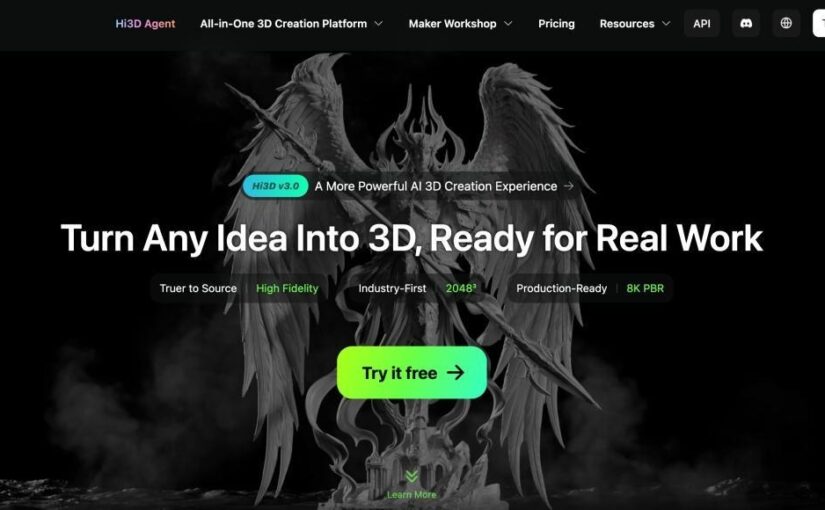
Hi3D is one example of an AI 3D creation platform built around this idea. Its tools allow users to move from images and visual concepts to 3D models, while also providing features for textures, high-resolution generation, model splitting, and different export formats. For product designers, the value is less about replacing traditional modeling software and more about making the path from an idea to a testable 3D asset shorter.
Why the Early Stages of Product Design Can Be Time-Consuming
A product idea often starts as something relatively simple: a sketch in a notebook, a reference photograph, a concept image, or even a rough visual created during a brainstorming session.
The difficulty comes when that two-dimensional idea needs to become three-dimensional.
A designer has to think about dimensions, proportions, surfaces, curves, depth, and how different parts relate to one another. In conventional workflows, this can mean opening a 3D modeling program and manually constructing the object. For experienced professionals, that process is manageable. For quick concept development, however, it can also become a bottleneck.
This is particularly noticeable when a team wants to explore several possibilities rather than immediately commit to one design.
Suppose a designer has three different ideas for the shape of a consumer product. Building detailed 3D models for all three may require a significant amount of work. An AI 3D modeling tool can instead provide a way to generate preliminary models from visual references, giving the designer something tangible to inspect and modify.
The resulting model does not necessarily need to be the final production model. At the concept stage, simply being able to see an idea from different angles can already provide useful information.
Starting With a Visual Reference
One of the central features of Hi3D is its image-to-3D capability. Users can upload JPG, PNG, or WEBP images and use them as references for 3D generation. The system supports both single-view and multi-view inputs, with multi-view generation allowing two to four images to provide additional information about the object.
This approach fits naturally into product ideation because designers often already have visual materials available.
For example, a reference image could represent:
- A consumer product concept
- A piece of furniture
- A decorative object
- A package or container
- A mechanical-looking object
- A character or mascot for a branded product
- A physical object that a designer wants to reinterpret
A single image can provide the basic visual direction, while multiple views can offer additional information about the object’s shape.
This is useful because product design is inherently three-dimensional. A front-facing image may show the general appearance of an object but reveal little about its back, sides, or depth. Multi-view input can therefore give an AI model more visual information to work with.
The result can serve as an initial 3D representation rather than requiring the designer to begin with an empty 3D workspace.
Using AI Models as a Starting Point, Not a Final Answer
There is an important distinction between AI-assisted modeling and fully automated product design.
An AI-generated model should not necessarily be treated as a finished engineering model. Product development may involve requirements that go beyond appearance, including dimensions, tolerances, materials, manufacturing methods, structural performance, and other technical constraints.
The more practical role for AI can be at the earlier stages.
A designer might generate a model, inspect it, identify what works visually, and then continue refining the concept using conventional 3D software or other design tools.
This changes the workflow from:
blank workspace → manual modeling → first visual result
to something closer to:
visual idea → AI-generated starting point → evaluation → refinement
That difference can be valuable when the goal is exploration.
Instead of spending most of the initial design time constructing basic geometry, designers can spend more time comparing ideas and deciding which direction is worth developing.
Exploring Product Concepts From Multiple Perspectives
A major advantage of having a 3D representation is that it allows designers to examine an idea beyond the limitations of a single image.
A concept that looks convincing from the front may feel too bulky from the side. A shape that appears balanced in a sketch may look different when viewed from above. These issues can be difficult to identify from a flat image alone.
AI-generated 3D models make it easier to bring these questions into the design process earlier.
This can be particularly useful during brainstorming sessions. Rather than discussing an object only through sketches and verbal descriptions, a team can work with a preliminary 3D representation and use it as a common visual reference.
The model becomes a conversation tool.
Designers can ask questions such as:
- Does the overall proportion feel right?
- Is the silhouette consistent from different angles?
- Which shape should be developed further?
- What details need to be changed?
- Would a different surface treatment work better?
- Should the object be simplified before prototyping?
These questions are not answered by AI alone. The value comes from making the design easier to visualize and discuss.
High-Resolution Generation for Detailed Concepts
Once the basic form is established, surface detail becomes increasingly important.
Hi3D’s V3.0 generation capability is designed for high-detail 3D creation, with product information describing 2048³-level geometry and 8K PBR textures. The system is intended to preserve small details such as patterns and text that can easily disappear in lower-detail models.
For product designers, this can matter when visual presentation is an important part of the concept.
A product is not defined only by its overall silhouette. Small visual elements can affect how a concept is perceived. A logo, pattern, engraved-looking detail, or distinctive surface treatment may help communicate the intended design.
High-resolution generation can therefore be useful when moving from a rough concept toward a more detailed visual representation.
It also gives designers more information to work with when evaluating whether a particular idea is worth developing further.
Adding Texture Without Rebuilding the Model
Geometry is only one part of a product concept. Materials and surface appearance can have an equally important role.
Hi3D includes a Stylized Texture feature that can add realistic or stylized textures to 3D models.
This creates another layer of experimentation.
Imagine that a designer has already generated the basic form of an object. Instead of treating that shape as the final visual result, different surface directions can be explored. A concept might be presented with a realistic material, a stylized appearance, or a different visual treatment depending on the purpose of the project.
This can be especially useful for early-stage visualization, where the team may still be comparing alternatives.
Rather than spending extensive time manually creating every texture before the basic concept has been approved, designers can experiment with the overall appearance first and refine the chosen direction later.
From Digital Concept to Physical Prototype
The relationship between AI 3D modeling and physical prototyping is another important part of the workflow.
A digital model becomes much more useful when it can eventually move into another stage of production. Hi3D supports several export formats, including OBJ, GLB, STL, FBX, USDZ, and 3MF.
The appropriate format depends on what happens next.
A designer working on digital visualization may need one format, while a model intended for 3D printing may require another. Having multiple export options makes it easier to fit an AI-generated asset into different workflows.
For physical prototyping, STL and 3MF can be particularly relevant because they are commonly associated with 3D printing workflows. The designer can therefore use AI generation as one stage of a broader process rather than keeping the result inside an isolated AI platform.
This is where AI 3D modeling becomes more than a visual experiment.
It can become part of an iterative design cycle:
idea → model → review → modification → prototype → review again
The ability to move between digital and physical versions can help designers identify issues that are difficult to understand from a concept image alone.
Designing Around Real-World Size Constraints
Large or complex concepts can create another practical problem: the model may not fit within the build volume of the intended 3D printer.
Hi3D’s Split-to-Print feature addresses this by dividing a model into printable parts and adding connectors that help with later assembly.
For product designers using desktop 3D printers for prototyping, this can make experimentation more flexible.
Instead of redesigning a large object simply because it exceeds the printer’s physical limits, the model can be divided into multiple sections. The parts can then be printed separately and assembled afterward.
This is particularly relevant for larger concept models, presentation prototypes, mock-ups, and objects that need to be physically evaluated at a meaningful scale.
The feature also illustrates an important principle of AI-assisted design: useful automation is not limited to generating the initial model. Supporting steps around the model can matter just as much.
When a Product Needs More Than One Color
Visual appearance can also involve color.
Hi3D provides a Multi-color Print capability that separates a model into printable color regions. This can be useful for prototypes where different colors communicate product components, branding, patterns, or visual hierarchy.
For designers, this opens another possibility for early physical testing.
A monochrome prototype can demonstrate shape and scale, but a multi-color version can communicate more of the intended appearance. This may be useful when evaluating packaging concepts, character products, decorative objects, branded designs, or other visually distinctive products.
Instead of treating color as something that only matters at the final presentation stage, designers can incorporate it into physical experimentation.
AI 3D Modeling as Part of an Existing Design Workflow
It is easy to think of AI tools as completely replacing traditional software, but that is not necessarily the most useful way to approach them.
Product designers already have established workflows, software preferences, and professional standards. AI 3D generation can fit into those workflows as an additional stage.
For example, a designer could use AI to generate several preliminary concepts, select one, export the model, and then continue detailed work in conventional 3D software.
Another designer might use AI mainly for visual exploration and only create a detailed production model after the concept has been approved.
In both cases, AI is being used where it offers the most practical value: reducing the amount of repetitive early-stage work and making experimentation easier.
This also means designers can choose how much automation they actually want.
Where Hi3D Fits Into Product Development
Hi3D brings several capabilities together in one AI 3D creation environment: image-to-3D generation, high-resolution model creation, texture generation, image generation for visual ideation, 3D relief, model splitting, and multi-color printing.
Not every project requires every feature.
A product designer working on a simple concept might only need image-to-3D generation and model export. Another project might involve detailed textures and a physical prototype. A larger object may benefit from Split-to-Print, especially when figuring out how to split 3D model for printing, while a visually complex prototype may require multi-color printing.
The advantage of having these capabilities available within the same environment is that designers can explore different directions without building an entirely separate workflow for every stage.
Hi3D also provides APIs for capabilities such as Image to 3D, 3D Relief, 3D Model Split, and 3D Model Multicolor, making the technology available for integration into broader applications and workflows. Its official documentation lists use cases including 3D printing, game development, industrial design, film production, creative design, and education.
A Different Way to Think About AI 3D Design
The most useful way to think about AI 3D modeling may not be as a shortcut from an idea to a finished product.
Instead, it can be viewed as a way to make the early stages of design more flexible.
A designer can begin with a visual reference, generate a preliminary 3D representation, examine the concept from different perspectives, experiment with textures, and eventually move the model into a digital or physical production workflow.
The important change is not that every traditional design step disappears. Rather, the first version of an idea can become much easier to create.
For product designers, that can make experimentation less expensive in terms of time and effort. More concepts can be visualized, rejected, compared, or refined before the team commits significant resources to detailed modeling.
As AI 3D technology continues to develop, this type of workflow could become increasingly common: human designers remain responsible for decisions, while AI helps turn visual ideas into tangible 3D starting points.
For anyone working in product design, prototyping, or creative development, that shift is worth paying attention to—not because AI eliminates the design process, but because it can give designers more room to explore it.
READ ALSO: How Quality Components Support Safer, More Reliable, and More Efficient Material Handling Operations